Overview
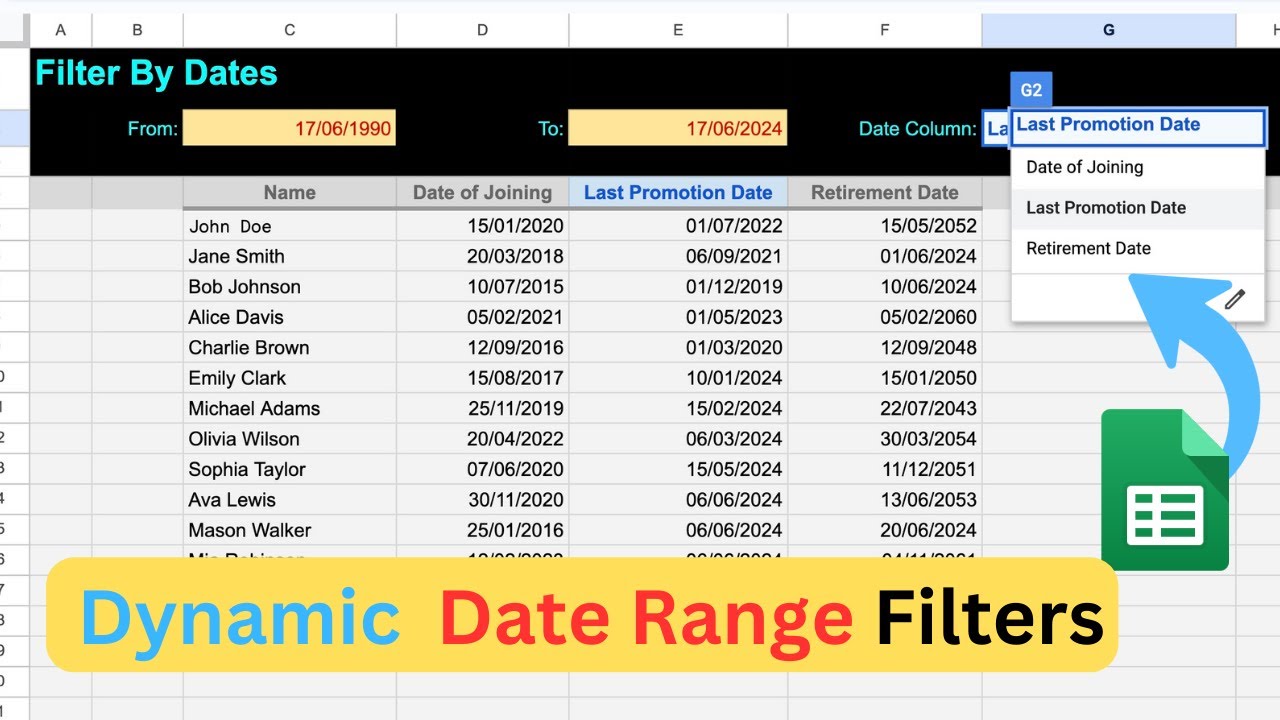
In this video, I'm going to show you how to filter your dataset, especially when it contains multiple date columns.
We will take employee records dataset with fields like Name, Date of Joining, Last Promotion Date, and Retirement Date. Our goal is to filter these employee records based on a date range. For instance, we might want to find all employees whose Date of Joining falls within a specific range.
We will take help of the following Google Sheet Formulas:
FILTER, INDEX & MATCH
Key Features
- Instant Copy: Copy the entire spreadsheet and script directly into your Google Drive in one click.
- Zero Cost: Completely free to use with any personal or workspace Google account.
- Customizable: Full access to modify sheet columns, layout, and Apps Script logic.
- Video Tutorial Included: Watch the step-by-step setup video right on this page.
How to Use
- Click Download Free Access above and enter your email address.
- Open the copy link delivered to your screen and inbox.
- Click Make a Copy in Google Drive.
- Follow the setup tutorial video above to configure any triggers or permissions.